 RS Software
RS Software
RS Software
Product Page AJAX File Uploader, Cropper & ZIP Export
Empower customers to drag & drop files on your WooCommerce product pages with instant AJAX uploads, live in-browser image cropping, chunked large file support, and bulk admin ZIP downloads.
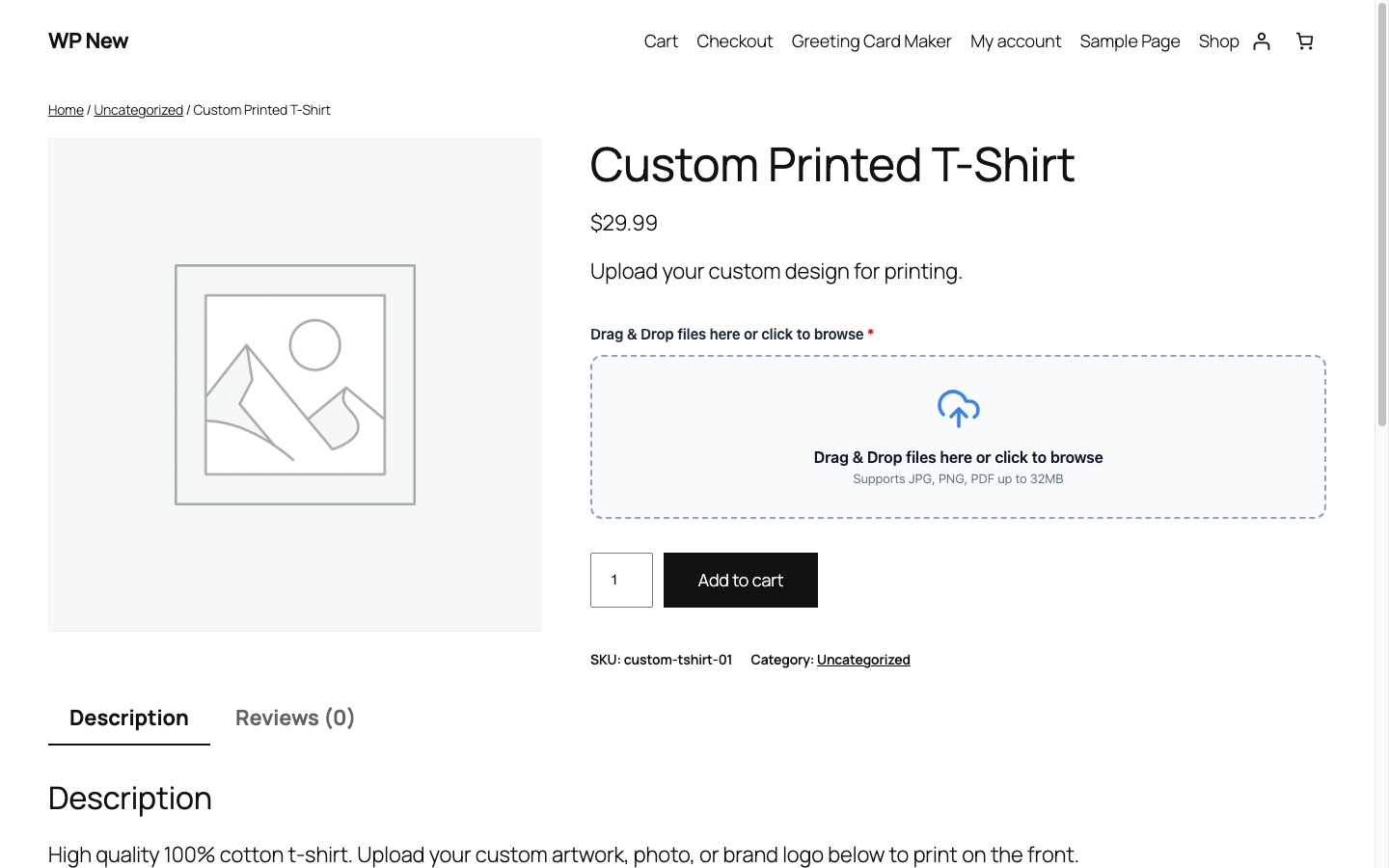
Real high-resolution screens captured from live running stores.
Drag & Drop File Upload Dropzone Live on Single Product Page
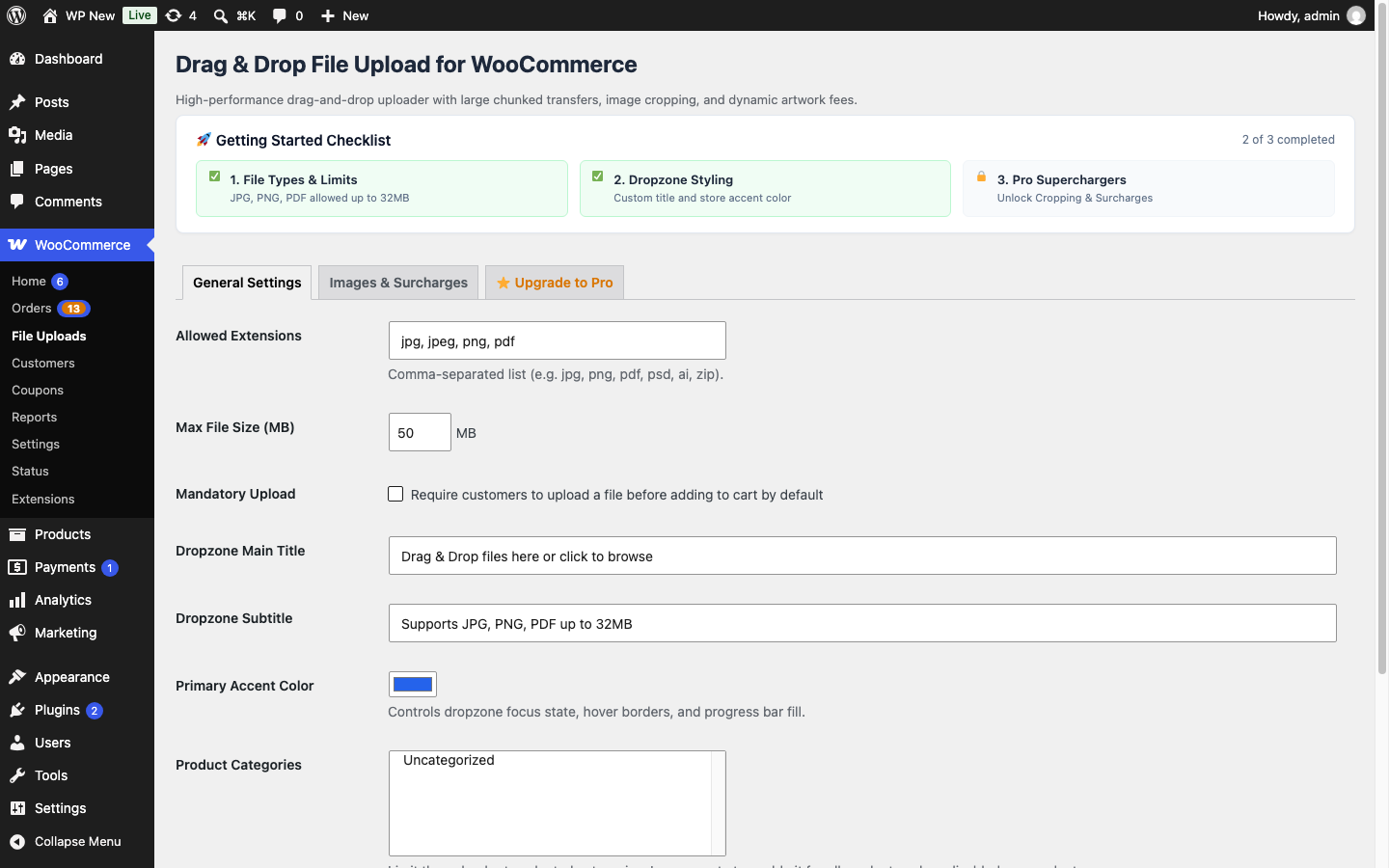
Drag & Drop Admin: Dropzone Customization, File Types & Upload Size Limits
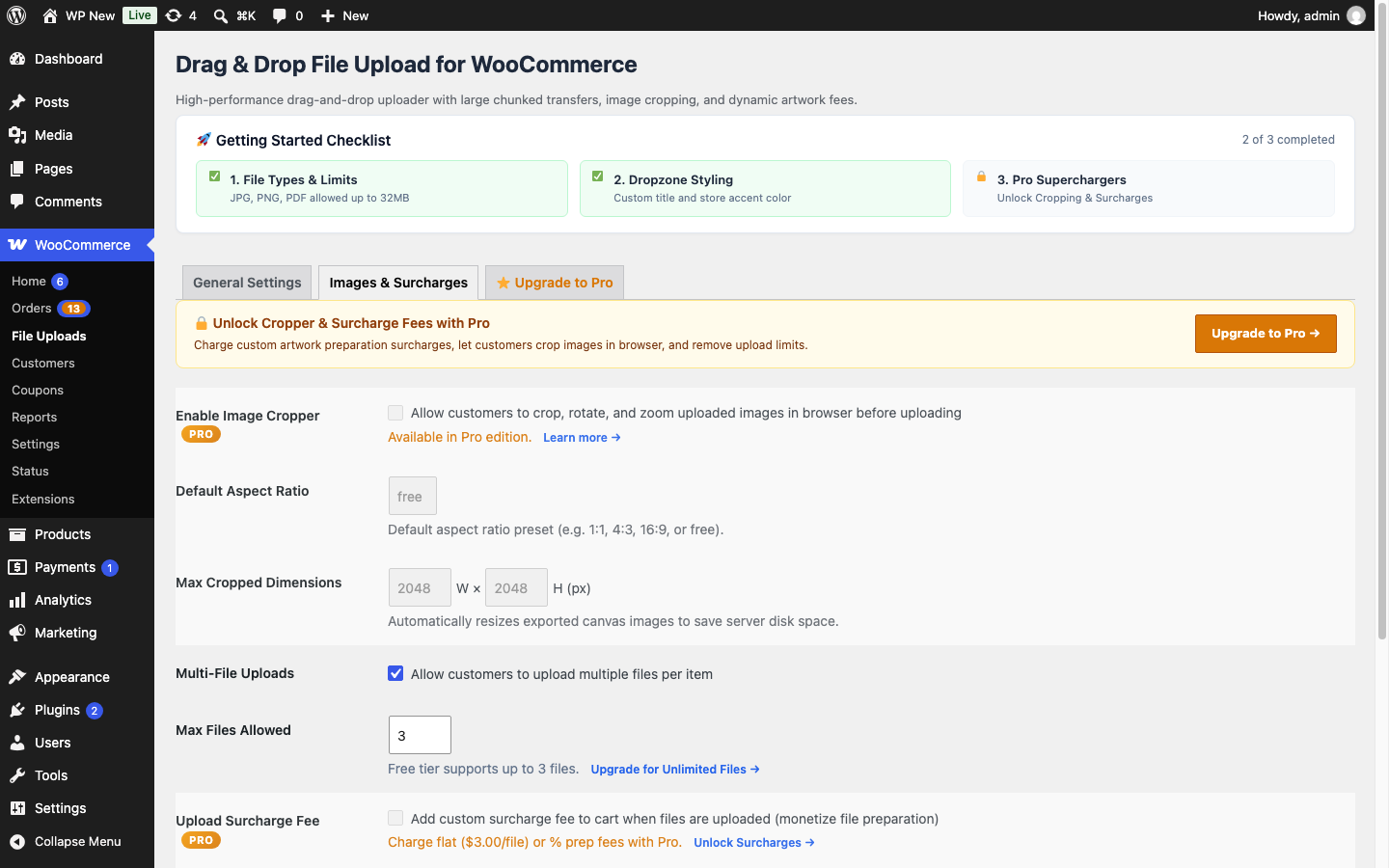
In-Browser Image Cropper, Aspect Ratio Presets & Artwork Surcharge Controls
Zero complicated setup. Get up and running in less than two minutes.
Check "Enable File Upload" on any WooCommerce product. Set allowed file types (PNG, JPG, PDF, AI, PSD, SVG, ZIP) and size limits.
Shoppers drop artwork or documents right on the product page. For photos, the built-in cropper lets them adjust framing perfectly before adding to cart.
Uploaded files link securely to order items in WooCommerce admin and customer receipt emails. Download individual files or export a clean ZIP package.
Everything you need to deliver an extraordinary experience to your shoppers.
Beautiful drag-and-drop file uploader on single product pages with progress bars, file size indicators, and preview thumbnails.
Enables shoppers to crop photos to exact dimensions or locked aspect ratios (1:1 square, 4:3, 16:9) right inside their browser before uploading.
Splits large print files, video clips, and 3D models into lightweight chunks, bypassing cheap shared hosting upload limit restrictions effortlessly.
Charge extra setup or prep fees for uploaded files (e.g. +$3.00 flat fee or +5% artwork inspection fee) added directly to the cart line item.
Save hours of manual clicking! Export all uploaded artwork for any order or date range into a single organized ZIP archive.
Automatically strips sensitive GPS and camera metadata from image uploads for customer privacy, optimizing file size simultaneously.
See exactly what is included in the Free edition vs. unlocking the complete Pro powerhouse.
| Feature / Capability | Free Edition | Pro Edition ⭐ |
|---|---|---|
|
AJAX Drag & Drop Product Dropzone
Smooth multi-file drag and drop interface
|
✓ | ✓ |
|
Real-Time Upload Progress & File Validation
Instant feedback on file size and format
|
✓ | ✓ |
|
Files Bound to WooCommerce Order Items
Files stored and linked to completed orders
|
✓ | ✓ |
|
Max Files Upload Limit
Pro removes all caps on file counts per order
|
Up to 3 Files | Unlimited Files |
|
In-Browser Image Cropper & Aspect Ratio Locks
Allow shoppers to crop photos directly in browser
|
— | ✓ |
|
Per-File Surcharges & Custom Prep Fees
Charge setup fees for printing and custom artwork
|
— | ✓ |
|
Chunked Large File Uploads (Up to 1GB)
Bypass server php.ini file size caps
|
— | ✓ |
|
One-Click Admin ZIP Bulk Export
Download all order assets in a neat ZIP archive
|
— | ✓ |
|
Automatic EXIF Data Stripper
Strip camera metadata and GPS coordinates for privacy
|
— | ✓ |
|
Custom Automated Email Notifications
Send order artwork verification emails to buyers
|
— | ✓ |
All plans include automatic updates, priority developer support, and a 14-day money-back guarantee.
Try Drag & Drop File Upload for WooCommerce on your store for 14 days. If you aren't completely delighted with the conversion and performance increase, just reach out to us for a prompt, courteous refund.
Thoroughly documented for developers, store owners, and agencies.
Common questions about Drag & Drop File Upload for WooCommerce.
Yes! The Pro version features our Chunked Upload Engine which slices files into small 2MB packets before transmission. This allows customers to upload huge 500MB+ files even if your hosting php.ini limit is set to 10MB.
In WooCommerce > Orders, open any order to view preview thumbnails and direct links to each uploaded file. In Pro, a single click on "Download All (ZIP)" bundles every file for that order into a tidy archive.
Absolutely. You can configure upload settings globally or override them on individual products with specific file types, max file sizes, and custom surcharges.